


Click Hype Click Hype
  • Home
  • Ai
  • SEO for Bloggers
    • Digital Marketing
  • Blogging Tips
  • Keywords Strategy
  • Content Strategy
    • Monetization
  • Tools
Nav
Nav
Click Hype

Your Clicks, Our Hype

An open toolbox on a blogger's desk filled with small colourful tool shapes — a pen, a magnifying glass, an image frame and a calculator
Blogging Tips November 1, 2026

43 Free Tools for Bloggers: The

A blogger combining a stack of photos and screenshots into a single PDF document on a laptop
Blogging Tips November 1, 2026

Images to PDF: How to Turn

A blogger choosing brand colours on a laptop, with plain colour swatches fanned out beside the keyboard
Blogging Tips October 31, 2026

Colour Picker: How to Choose a

A small content team seen from behind, gathered around a board of blank task cards with empty speech bubbles above them
Monetization October 31, 2026

Team Management System: How to Run

  • Home
  • Ai
  • SEO for Bloggers
    • Digital Marketing
  • Blogging Tips
  • Keywords Strategy
  • Content Strategy
    • Monetization
  • Tools
Click Hype > Blog
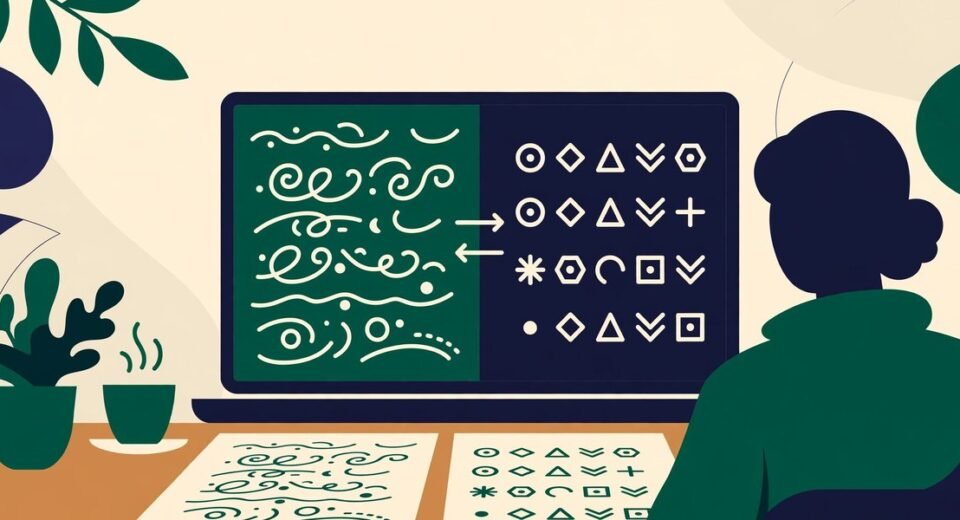
A blogger at a laptop converting readable text into neat rows of abstract symbols and back again on the screen Blogging Tips

Text Encoder and Decoder: URL, Base64 and UUIDs Explained Simply

  • mhassanameen96@gmail.com
  • October 31, 2026
  • 0 Comments

Encoding is how you rewrite text in a form another system can safely carry: a web address can’t contain spaces, a JSON file can’t hold a raw image, and some characters already mean something to the machine reading them — so the text is converted into a safe, standard form, and back again on arrival. […]


Read More
A creator at a desk with a laptop showing a video player and a download arrow, with different video file formats floating beside the screen Content Strategy

All Video Downloader: What Actually Works in 2026

  • mhassanameen96@gmail.com
  • October 31, 2026
  • 0 Comments

Everyone wants the same simple thing: paste a link, press one button, keep the video. Perhaps it’s your own clip you need back, or a tutorial for a flight. So you search for one tool that handles every site at once — and land on pages promising exactly that. Here’s the direct answer, upfront. If […]

Read More
A creator at a desk with a phone and laptop showing video play buttons, checking the official save options on different social platforms Content Strategy

Social Media Video Downloader: What Actually Works (and What Doesn’t)

  • mhassanameen96@gmail.com
  • October 31, 2026
  • 0 Comments

Let’s start with the answer most downloader pages won’t give you. No website — including ours — can genuinely pull a video file off YouTube, Instagram, Facebook or TikTok just because you pasted a link into a box. The platforms block that deliberately, and the resolver services that once did the fetching behind the scenes […]

Read More
A blogger creating a website icon on a laptop, with the finished icon shown enlarged in a circle beside the screen Blogging Tips

Icon Maker: How to Turn an Image, Emoji or Your Initials into a Real ICO File

  • mhassanameen96@gmail.com
  • October 31, 2026
  • 0 Comments

An ICO file bundles several sizes of the same picture — from a tiny 16-pixel version up to a crisp 256-pixel one — so a browser, Windows or a shortcut can pick the size it needs. For a blogger, the one you’ll meet most is favicon.ico — the small icon in a browser tab and […]

Read More
A blogger wearing headphones, listening to a blog post being read aloud from a laptop with sound waves coming from the screen Content Strategy

Text to Speech: How to Proofread Your Blog Posts by Ear

  • mhassanameen96@gmail.com
  • October 31, 2026
  • 0 Comments

Text to speech (TTS) turns written words into spoken audio: you paste in some text, and a voice reads it back to you. For a blogger, the most valuable use isn’t turning posts into podcasts — it’s pasting in your own draft and listening to it. Your ears catch things your eyes have stopped seeing: […]

Read More
A blogger previewing a blog page layout on a laptop, where the article text is shown as neat placeholder lines, with design sketches beside the screen Blogging Tips

Lorem Ipsum Generator: How to Use Placeholder Text Properly

  • mhassanameen96@gmail.com
  • October 31, 2026
  • 0 Comments

Lorem ipsum is placeholder text: dummy copy that fills the space where real words will eventually go, so a design can be judged before the writing exists. A lorem ipsum generator makes that text for you in whatever quantity you need — paragraphs for a page mockup, sentences for a card or caption, or an […]

Read More
A blogger downloading a website's favicon on a laptop, with the tiny icon enlarged in a magnifying circle beside the screen Blogging Tips

Favicon Grabber: How to Download Any Website’s Favicon (and Use It Fairly)

  • mhassanameen96@gmail.com
  • October 31, 2026
  • 0 Comments

A favicon grabber downloads the icon file a website already makes public — the little logo you see in its browser tab — and hands it to you as a saveable image. There’s no trick to it: every browser fetches that file quietly each time anyone visits the site. A grabber simply fetches it on […]

Read More
A blogger creating a tiny favicon for their blog on a laptop, with the finished icon enlarged in a circle beside the screen Blogging Tips

Favicon Generator: How to Make a Favicon from Text or an Emoji

  • mhassanameen96@gmail.com
  • October 31, 2026
  • 0 Comments

A favicon is the small square icon that represents your site — the tiny logo you see in a browser tab, next to a bookmark, and beside your site name in Google’s search results. Short for “favourite icon”, it’s usually just 16 × 16 pixels on screen, yet one of the most-seen pieces of branding […]

Read More
A blogger adding a GPS location pin to a photo on a laptop screen, with a camera and a folded map beside them Blogging Tips

How to Geotag Photos: Add GPS Coordinates to a JPG (and Know When Not To)

  • mhassanameen96@gmail.com
  • October 31, 2026
  • 0 Comments

To geotag a photo is to write GPS coordinates — a latitude and longitude — into its EXIF data, the hidden information block inside the file. The picture doesn’t change at all. Nothing is stamped or drawn on it. The location simply sits inside the file, readable by photo apps and maps — the same […]

Read More
A blogger resizing one photo into frames of different shapes for social media on a laptop, with square, tall and wide frames arranged beside it Content Strategy

Social Media Image Resizer: How to Get Every Post, Story and Cover the Right Size

  • mhassanameen96@gmail.com
  • October 31, 2026
  • 0 Comments

A social media image resizer takes a single picture and re-makes it at the exact pixel dimensions a platform displays: 1080 × 1350 for an Instagram portrait post, 1280 × 720 for a YouTube thumbnail, 1000 × 1500 for a Pinterest pin. It’s the same photo every time — just cut to a different shape […]

Read More
  • 1
  • 2
  • 3
  • 4
  • 5
  • …
  • 15

Search

Categories

Action(1)
Ai(19)
Blogging Tips(30)
Content Strategy(19)
Fashion(17)
Gaming(1)
Keywords Strategy(6)
Monetization(5)
News(2)
SEO for Bloggers(35)
Tech(3)
Travel(8)
Uncategorized(3)

Recent News

An open toolbox on a blogger's desk filled with small colourful tool shapes — a pen, a magnifying glass, an image frame and a calculator
Blogging Tips

43 Free Tools for Bloggers: The Complete Click Hype Toolbox

  • November 1, 2026
A blogger combining a stack of photos and screenshots into a single PDF document on a laptop
Blogging Tips

Images to PDF: How to Turn a Set of Pictures Into One Tidy Document

  • November 1, 2026
A blogger choosing brand colours on a laptop, with plain colour swatches fanned out beside the keyboard
Blogging Tips

Colour Picker: How to Choose a Colour Once, and Use It Everywhere

  • October 31, 2026

Blog Posts

An open toolbox on a blogger's desk filled with small colourful tool shapes — a pen, a magnifying glass, an image frame and a calculator
Blogging Tips November 1, 2026

43 Free Tools for Bloggers: The Complete Click Hype Toolbox

A blogger combining a stack of photos and screenshots into a single PDF document on a laptop
Blogging Tips November 1, 2026

Images to PDF: How to Turn a Set of Pictures

A blogger choosing brand colours on a laptop, with plain colour swatches fanned out beside the keyboard
Blogging Tips October 31, 2026

Colour Picker: How to Choose a Colour Once, and Use

A small content team seen from behind, gathered around a board of blank task cards with empty speech bubbles above them
Monetization October 31, 2026

Team Management System: How to Run a Small Blog Team

Popular Tag

AI Writing (2) Blog Branding (3) Blog Design (2) Blogging Tips (30) Blogging Tools (2) Blog SEO (5) Campaign Tracking (1) Content Strategy (9) Content Writing (2) Core Web Vitals (2) Email Marketing (1) EXIF (1) Favicon (3) Favicon Generator (1) Geotagging (1) Google Analytics (1) Google Indexing (1) Google Search Console (2) Google SEO (2) Image Converter (1) Image Formats (1) Indexing API (1) Instagram Image Size (1) JSON-LD (2) Link Building (2) Local SEO (1) Meta Tags (2) On-Page SEO (5) Online Tools (2) Pakistani online clothes UK (2) Photo Geotag Tool (1) SEO for Bloggers (12) Social Media Image Resizer (1) Social Media Image Sizes (1) Social Media Marketing (1) Summarizing Tool (1) Technical SEO (4) Video Downloader (2) WebP (1) Website Speed (2) WordPress Images (1) WordPress SEO (3) WordPress Tips (2) Writing Tools (2) YouTube Tips (2)
logo white

About

Click Hype helps bloggers grow with honest guides and free tools for blogging, SEO and keyword strategy.

  • clickhypeblog@gmail.com
Follow us

Quick Links

  • Blog
  • About Us
  • Contact Us
  • Food
  • Fashion
  • Technology
  • Creative

Popular Posts

An open toolbox on a blogger's desk filled with small colourful tool shapes — a pen, a magnifying glass, an image frame and a calculator
Blogging Tips November 1, 2026

43 Free Tools for Bloggers: The Complete Click Hype Toolbox

A blogger combining a stack of photos and screenshots into a single PDF document on a laptop
Blogging Tips November 1, 2026

Images to PDF: How to Turn a Set of Pictures

A blogger choosing brand colours on a laptop, with plain colour swatches fanned out beside the keyboard
Blogging Tips October 31, 2026

Colour Picker: How to Choose a Colour Once, and Use

Get in Touch

Questions, feedback or guest post ideas? Send us an email — we read everything.

clickhypeblog@gmail.com

  • Home
  • About Us
  • Contact Us
  • Privacy Policy
  • Write For Us

© Click Hype