


SEO Title Tags and Meta Descriptions That Get Clicks

Introduction
You can rank on the first page of Google and still get almost no traffic. It happens to bloggers all the time: the post is good, the ranking is there, but the clicks go to the result above or below. The reason is usually two lines of text the blogger barely thought about — the title tag and the meta description.
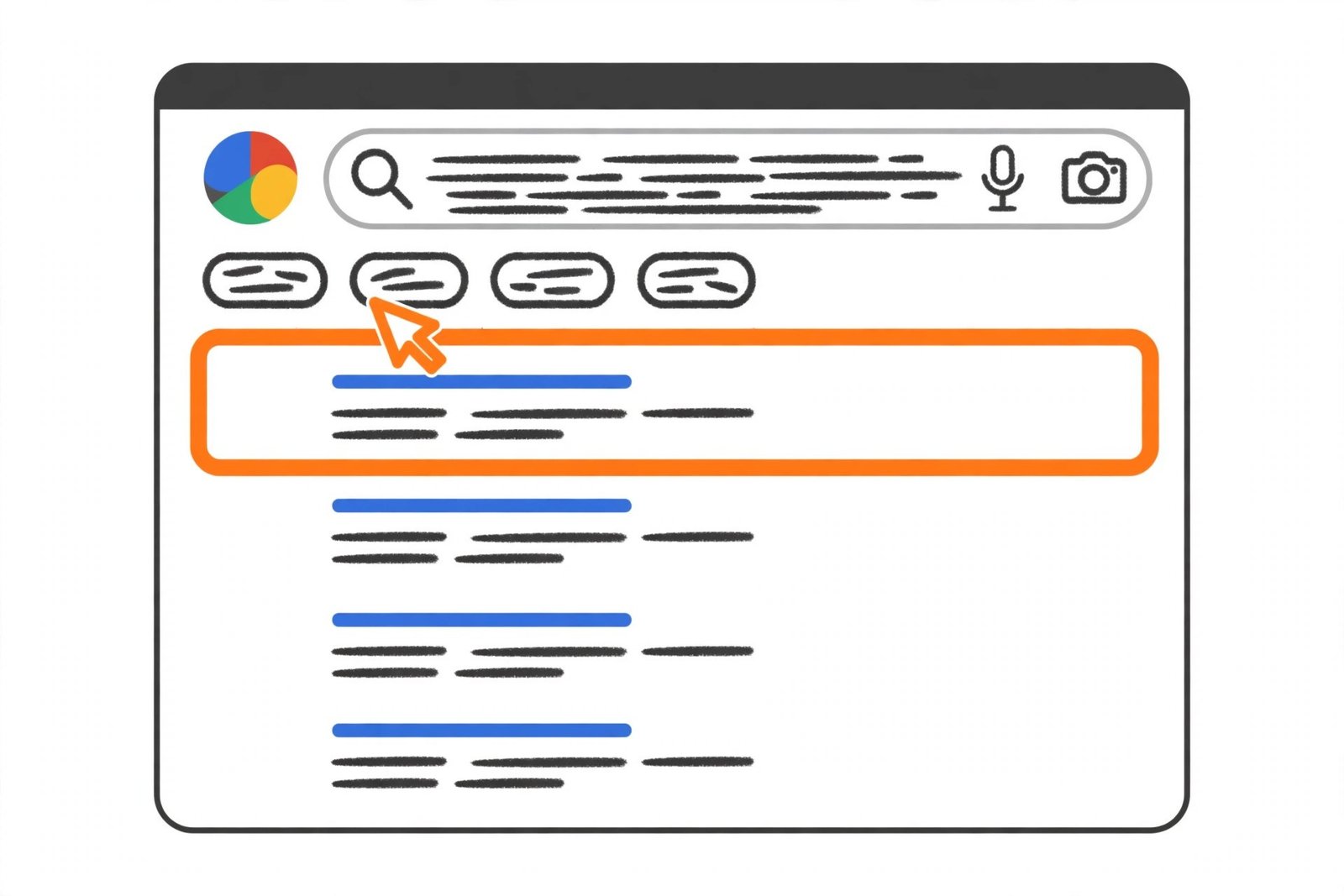
These two lines are your shop window. The title is the headline searchers see first, and the description is the short pitch underneath it. Together they decide whether someone clicks your result or scrolls past it. Most on-page SEO is invisible to readers, but titles and descriptions are the one part a real person reads before deciding anything — which makes them the highest-leverage small edit on a blog.
What Is a Title Tag?
A title tag is the clickable headline of your page in Google search results — the <title> element in the <head> of your page. Browsers show it on the tab, and it appears when someone bookmarks or shares the page.
For Google, the title tag is one of the clearest signals about what a page is about, and it is a direct ranking signal — including your main keyword in it matters. For readers, it is the first promise your page makes. It is not the same as the H1 heading: the H1 is the headline readers see once they arrive, while the title tag is the headline they see before they decide to arrive.
What Is a Meta Description?
A meta description is the short summary under your title in search results, held in the <meta name="description"> tag in your page's head. Readers never see it on your page itself — only in the results.
Most bloggers get one thing wrong here: the meta description is not a ranking factor. Google has said so plainly, and no amount of keyword repetition in a description will move you up the results. What it does affect is click-through rate — whether the searcher who sees your result chooses it over the others. The title tag helps you rank, the meta description helps you get clicked. You need both.
How Long Should a Title Tag Be?
Google sets no character limit for title tags. It cuts the title link to fit the device — roughly 600 pixels on a desktop screen — which works out to about 50 to 60 characters for most titles. Wide letters like W and M take up more room than narrow ones like i and l, so the real limit is width, not a count.
Aim for 50 to 60 characters and put the words that matter first. A 65-character title with the keyword at the start beats a 55-character one that buries it, because even if the end gets cut off, the important part still shows.
How Long Should a Meta Description Be?
The same logic applies: Google sets no limit, and snippets are cut to fit the device. On desktop, about 150 to 160 characters usually display in full; on mobile, closer to 120. Aim for 150 to 160 characters, and front-load the key message into the first 120 so the core of your pitch survives on a phone as well as a desktop.
How to Write a Title Tag That Gets Clicks
A clickable title does three jobs at once: it tells Google what the page is about, it tells the searcher the page answers their question, and it gives them a reason to pick this result over the nine others. The formula that covers all three is simple:
[Primary keyword] + [specific modifier or number] + [brand, if any]
Put the primary keyword as close to the start as you can. Google bolds the words in your title that match the search, and searchers scan from the left. A title that starts with the keyword reads as relevant instantly; one that starts with "Welcome to my blog about…" wastes the most valuable space on the page.
Then add specificity. Numbers, years and concrete outcomes beat vague promises:
- Weak: "Blogging Tips and Advice for Beginners"
- Strong: "15 Blogging Tips for Beginners That Actually Work (2026)"
The second names a number, names the reader, makes a promise and carries a year — in 58 characters. The same patterns work across niches: the numbered list, the how-to with a clear outcome, the question the reader is already asking, and the honest comparison.
Three more rules hold up across niches. Write one title per page and make it unique; if two pages need the same title, they probably cover the same topic and should be merged. Match the search intent — someone searching "how to start a blog" wants a beginner guide, someone searching "best blogging platform" wants a comparison.
How to Write a Meta Description That Gets Clicks
If the title is the headline, the description is the sales pitch — about 150 characters to answer one question: "Why should I click this page instead of the others?" The structure that works most consistently has three parts: benefit + proof + call to action.
Take a post about starting an email list. A weak description says: "This blog post talks about email lists for bloggers and why they are important for your blog's growth and success." It says nothing specific and promises nothing. A stronger version says: "Start your blog email list from zero: the free tools, the first opt-in and the welcome email that gets replies. Step-by-step guide for new bloggers." It names the outcome, the contents and the reader — in 155 characters.
For descriptions, include the keyword once, naturally, since Google bolds matching words in the snippet. Start with the answer or the offer, not your blog name. Be specific — a number, a timeframe or a named tool beats a generic promise. Only promise what the page delivers, because a description that over-promises gets the click and then the bounce.

7 Mistakes That Cost You Clicks
Most bad titles and descriptions fail in the same few ways. Check your blog for these before you write anything new.
1. The same title on every page. Usually the blog name followed by a category, or the default title WordPress generated. Every page needs its own title.
2. Titles over 70 characters. Long titles get cut off — and rewritten more often. Keep them under 60, important words first.
3. Descriptions that repeat the title. If the description says the same thing as the title, you have wasted your only chance to add a reason to click.
4. Keyword stuffing. "Best blogging tips, blogging tips for beginners, top blogging tips 2026" reads like spam and gets rewritten. One natural mention in each.
5. Clickbait the page cannot deliver. "You won't believe this one trick" might win the click, but the reader leaves in seconds — and a page full of quick exits is a page Google stops trusting.
6. No description at all. Leaving it blank hands the choice to Google, which pulls whatever text it likes — often the first sentence, or worse, a cookie notice.
7. Writing for the plugin, not the person. Green lights in an SEO plugin are a checklist, not a goal. A title can score perfectly and still be boring.
Why Google Rewrites Your Titles
Google does not always show the title you wrote. One large study of more than 950,000 title tags found Google rewrote about a third of them, and Google has said it uses the title element around 87% of the time — generating something else when it judges your title a worse description of the page than text it can pull from the page itself.
The same happens with descriptions. Google uses your meta description when it believes it describes the page more accurately than the text on the page, and replaces it with a snippet from the body when it does not. It also tailors the snippet to the searcher's query.
You cannot stop rewrites entirely. What you can do is make them less likely: keep titles under 60 characters, make the title match the page, and make the H1 agree with the title. When the title and the main heading say the same thing in different words, Google has little reason to substitute either. Check what Google actually shows with a search for site:yourdomain.com/page-path. If the displayed title differs from yours, fix the page, not just the tags.
How to Audit Your Titles and Descriptions
A full audit of a small blog takes an afternoon, and it is one of the best returns on time in all of SEO.
Step 1: Find the pages that need help. In Google Search Console, open Performance and sort your pages by impressions. Pages with many impressions but a low click-through rate are underperforming — people see them and do not click. Our Google Search Console guide for bloggers explains which reports to open.
Step 2: Check what Google actually shows. For each page on your list, search for it and note the displayed title and description. Note every page where Google rewrote either one — that is a signal the tags or the page need work.
Step 3: Rewrite the worst ten first. Start with the pages with the most impressions and the lowest click-through rate. Write a new title under 60 characters with the keyword near the start, and a new description of 150 to 160 characters following the benefit-proof-call-to-action structure.
Step 4: Check your work before publishing. Paste each draft into our free Meta Title & Description Checker to see the character count, the pixel width and a live Google preview on desktop and mobile. The Headline Analyzer is useful too. Then wait two to four weeks and compare the click-through rate in Search Console. Keep the winners, rewrite the ones that did not move.
Run this audit every few months, and add it to your wider blog SEO audit routine. Titles drift out of date as posts age — a 2025 title on a post you updated for 2026 costs clicks.

Frequently Asked Questions
How long should a meta title be?
About 50 to 60 characters. Google has no official limit — it cuts the title to fit the device width, roughly 600 pixels on desktop. Put your main keyword near the start so it survives even if the end is cut off.
How long should a meta description be?
About 150 to 160 characters on desktop, with the key message in the first 120 characters so it also survives on mobile. Google sets no limit and cuts snippets to fit the screen, so treat 150 to 160 as a working range rather than a rule.
Does the meta description affect Google rankings?
No. Google does not use the meta description as a ranking factor. It affects click-through rate: a clear, specific description wins more clicks from the same ranking.
Why does Google rewrite my title tag?
Google rewrites a title when it judges the written title a worse description of the page than something it can generate from the page's content — often because the title is too long, stuffed with keywords, or does not match what the page covers.
Should every blog post have a unique title and meta description?
Yes. Duplicates confuse Google, split your clicks, and often get replaced by text Google pulls from the page. If two pages need the same title, they probably cover the same topic and should be merged.
Conclusion
Title tags and meta descriptions are the smallest unit of SEO that a real person ever sees — and the one with the fastest payoff. A title under 60 characters with the keyword near the start, a description of about 150 characters that promises a specific benefit and backs it with proof, both unique to the page and honest about what it delivers: that is the whole system.
Start where the data points you. Open Search Console, find the pages with impressions and no clicks, and rewrite ten titles and descriptions this week. Check them in the Meta Title & Description Checker before you publish, then check the click-through rate in a month.