


Blog Post URL Structure: Short Slugs That Help You Rank

Most bloggers spend hours on the headline and the first paragraph, then let WordPress decide the URL for them. That is a mistake. The URL is the one part of your post that shows up everywhere — in Google’s search results, in a shared link with no context, in an email, in a message. A short, readable slug tells a stranger what the page is about before they click. A long, messy one does the opposite.
Here is the honest truth first: a good URL structure will not rescue a weak post. Google has called the URL a very lightweight ranking factor, and length alone is not a ranking factor at all. But a clean URL helps in three quiet ways. It confirms to Google what the page is about, it earns a few more clicks because people can read it in the results, and it makes your links easier to share, remember and link to.
What Is a Blog Post URL Structure?
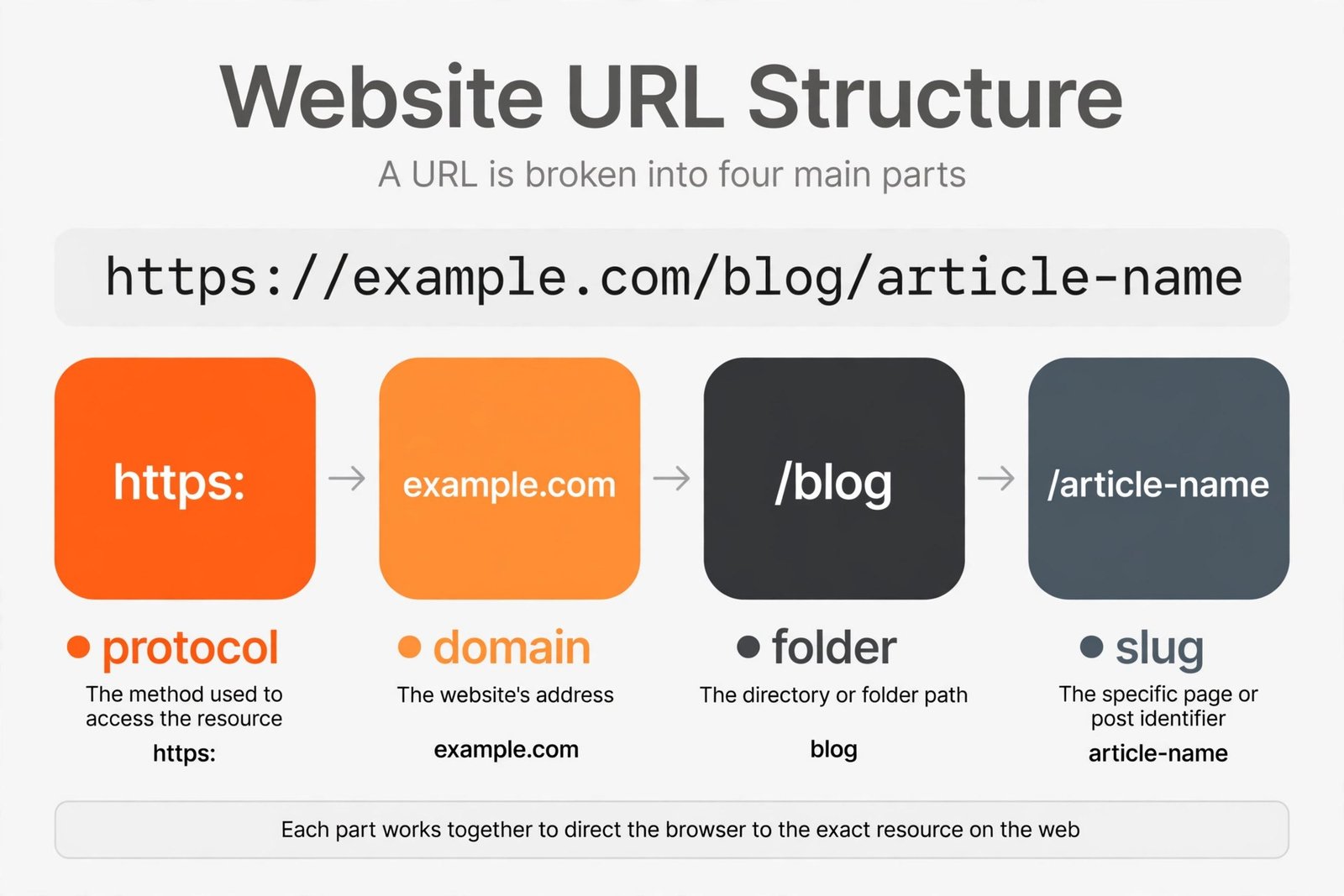
A blog post URL structure is the pattern your post addresses follow. Every post URL has the same building blocks:
- Protocol — the
https://at the start. Non-negotiable in 2026; browsers flag plainhttppages as insecure. - Domain — your blog’s name, for example
clickhype.co.uk. - Folders — the sections between the domain and the post, such as
/blog/or a category name. - Slug — the final part, unique to the post. This is where most of the SEO value sits.
- Parameters — the extra bits after a question mark, such as
?utm_source=newsletter. These are for tracking only.
Take a clean example:
https://clickhype.co.uk/blog-url-structure-seo/
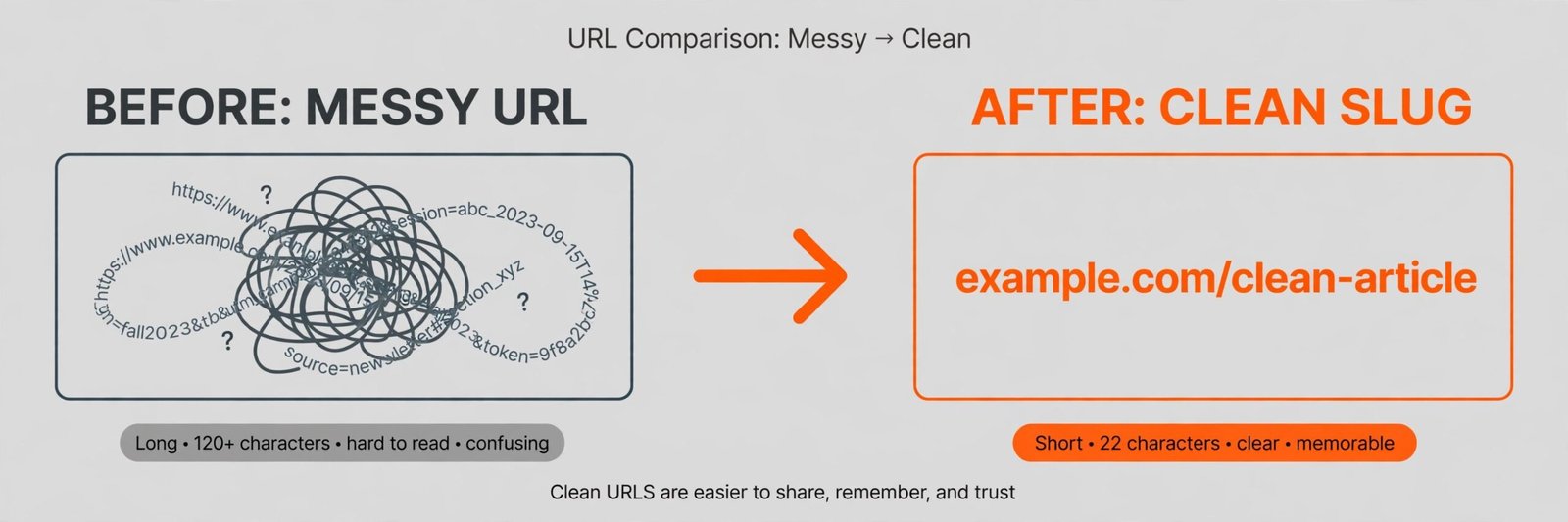
You can tell what the page is about without opening it. Now compare:
https://clickhype.co.uk/index.php?p=4821&cat=7
That tells you nothing. It is also harder to share and harder to trust.
Why Short Slugs Help You Rank
Short slugs help for practical reasons rather than magical ones. First, Google shows the URL in the search results, and searchers scan it before they click. A slug that matches what they typed confirms the page is relevant. Second, when someone shares your link without any other text — in a chat message, a forum post, a slide — the URL itself is the description.
Third, short slugs age better. A slug that says seo-mistakes-bloggers-make is still accurate in three years. One that says 15-seo-mistakes-bloggers-make-in-2026 starts looking stale the moment the year changes.
What short slugs cannot do matters too. Stuffing your keyword into a URL three times will not push you up the rankings — it looks spammy, and Google has been clear that keyword repetition in URLs adds nothing. A perfect slug on a thin post still loses to a great post with an average slug.
The 7 Rules for Writing a Good Slug
These are the rules to apply every time you publish. They take about a minute once they become habit.
1. Use hyphens, not underscores
Google treats hyphens as word separators. It does not reliably split words joined by underscores, so seo_friendly_urls can read as one long token while seo-friendly-urls reads as three words. Never run words together either — seofriendlyurls is unreadable to everyone.
2. Keep it lowercase, always
URLs are case-sensitive on most servers, so /Blog/Post and /blog/post can become two different addresses with identical content. WordPress generates lowercase slugs by default, so this is mainly a rule for anyone hand-editing URLs.
3. Include your primary keyword — once
Your target keyword belongs in the slug, used once, in its clearest form. If your post targets “blog URL structure”, the slug blog-url-structure-seo confirms relevance and shows up in the results where searchers scan it. If you are still deciding which phrase to target, work through the process in our keyword mapping guide before you publish — it stops two posts competing for the same keyword.
4. Cut the filler words
Titles need words like “how to”, “the”, “and” and “your” to read well. Slugs do not. Strip them out and keep only the words that carry meaning. For example:
- “How to Write a Blog Post URL That Helps You Rank” becomes
blog-post-url-structure - “The Ultimate Guide to Keyword Research for Beginners” becomes
keyword-research-beginners - “15 SEO Mistakes Bloggers Make (and How to Fix Each One)” becomes
seo-mistakes-bloggers-make
Read the result out loud. If a stranger could guess the topic from the link alone, it is done.
5. Keep the slug short — three to six words
Aim for three to six descriptive words, and keep the whole URL under about 60 to 75 characters where you can. Shorter slugs are easier to share and less likely to get truncated in emails and social posts. They also survive better when a post is updated: a short slug rarely needs changing.
6. Leave dates out of the URL
WordPress lets you include the year and month in your permalink structure, like /2026/11/my-post/. Avoid it. Dates in the URL make evergreen content look old even after you update it, and they add length for no benefit. A reader seeing /2024/03/... in the results will assume the advice is out of date. Keep the slug timeless and let the post itself carry the publication date.
7. Keep your folders shallow
A URL with one or two folders is easy to understand: /blog/seo-friendly-url/ tells Google the post is in the blog section. Five nested folders — /blog/seo/technical/on-page/urls/guide/ — tells nobody anything useful and makes the address fragile. Keep your URL depth to three or four levels at most. For most blogs, the simplest structure works best: just the domain and the slug.
Categories in URLs: Flat or Foldered?
Bloggers often ask whether the category should appear in the URL, like /seo-for-bloggers/blog-url-structure/. Both approaches rank fine — Google has no preference between a flat URL and one with a category folder. The decision is about your site, not the algorithm.
A category folder helps when your blog has clear, stable sections and readers browse by topic. But categories change. If you rename or merge a category later, every URL in it changes too, and each one needs a redirect. A flat structure — domain plus slug — never has that problem.
For a small or growing blog, flat is usually the safer choice. It is simpler, shorter and immune to category reshuffles. If you already use category folders and they are working, there is no reason to flatten them.
Before and After: Real Slug Fixes
Here is what the rules look like applied to real posts. Every fix is a removal — of dates, filler words, IDs and clutter — rather than an addition.
| Before | After | What changed |
|---|---|---|
/blog/?p=4821 | /blog-url-structure-seo/ | Readable words instead of an ID |
/blog/2026/11/18/the-ultimate-guide-to-making-your-urls-seo-friendly/ | /seo-friendly-url/ | Removed the date and the filler words |
/how_to_write_a_blog_post_url_that_helps_you_rank | /blog-post-url-structure/ | Hyphens instead of underscores, filler cut |
/seo/technical/on-page/urls/best-practices-guide-for-bloggers-2026 | /url-structure-best-practices/ | Flattened the folders, dropped the year |
The pattern is always the same: fewer words, clearer words, nothing a reader would not understand.
What About Changing an Old URL?
Sometimes you inherit a mess — old posts with dated, keyword-stuffed or number-based URLs. The question is whether to fix them. Only when the gain is clear, and only with a proper redirect.
Change a URL when it contains an ID or a parameter instead of words, it has a date that makes evergreen content look stale, it is keyword-stuffed to the point of looking spammy, or the post’s topic has genuinely changed.
Leave it alone when the post already ranks and gets traffic, the only problem is that it is a bit long, or you cannot set up a redirect. A changed URL without a redirect is a broken link.
How to change one safely:
- Write the new slug first, following the seven rules above.
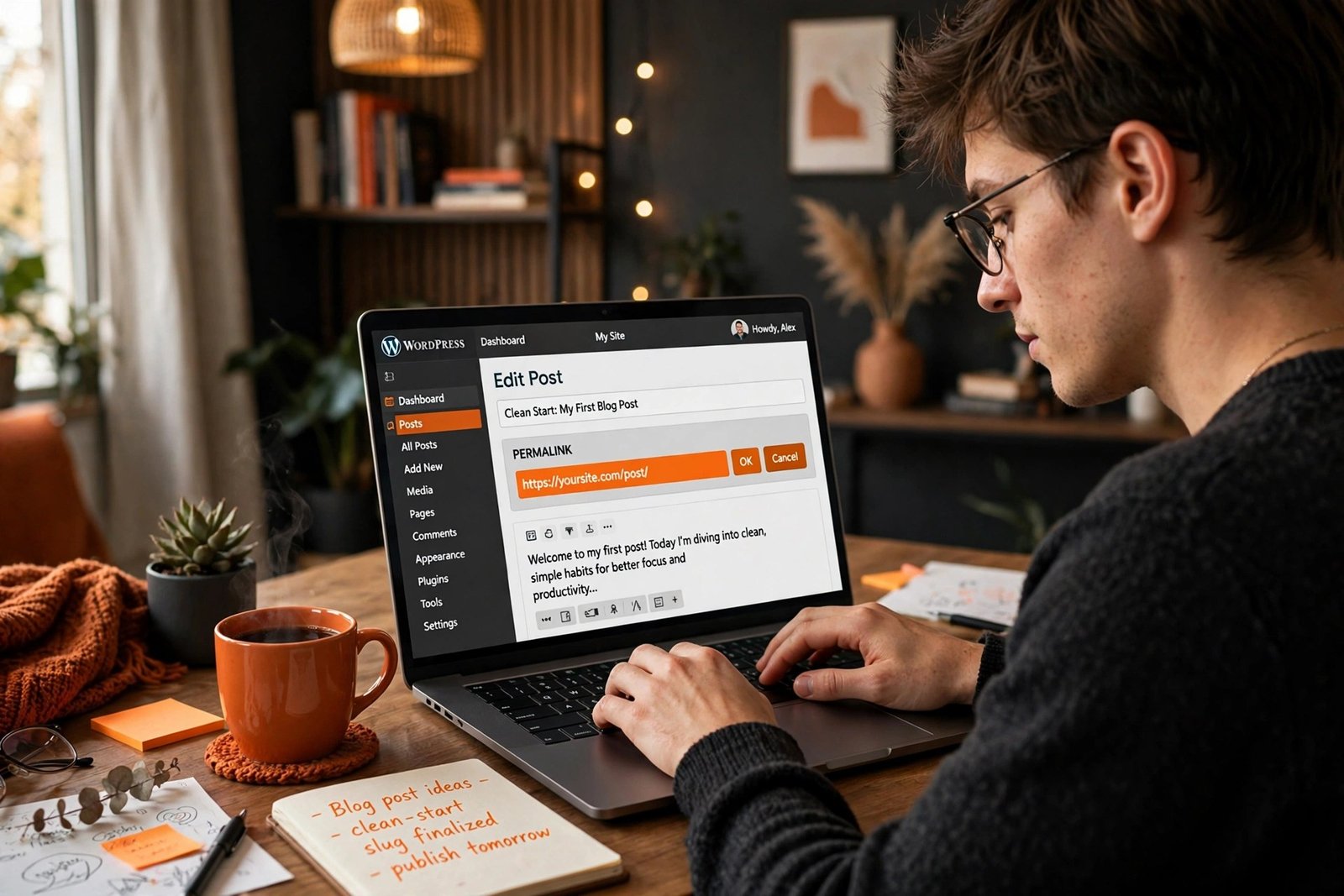
- Change the slug in WordPress — in the classic editor, click Edit next to the permalink under the title.
- Set up a 301 permanent redirect from the old URL to the new one. Rank Math and most redirect plugins handle this in a few clicks.
- Update your internal links. The redirect catches visitors, but direct links are cleaner and faster — our internal linking guide explains how to keep your link structure tidy.
One warning: never change a batch of URLs at once. Do a few, watch the traffic for a couple of weeks, then continue. If rankings dip, you will know exactly which change caused it.
WordPress Settings That Set Your URLs Right
Most URL problems start before a post is even written, in the permalink settings. In your WordPress dashboard, go to Settings → Permalinks and choose Post name. That gives you the clean /%postname%/ structure — domain plus slug, no dates, no IDs.
Two habits make the setting work for you. First, edit the slug before you publish, not after. When you type a title, WordPress generates a slug from the full headline, filler words and all. Before you hit Publish, click Edit next to the permalink, strip the filler and shorten it to three to six words. Once the post is live and indexed, treat the URL as permanent.
Second, check the slug against your other posts. Two posts should never share a slug or target the same keyword. WordPress will quietly add a -2 to a duplicate slug — a sign that your posts are competing with each other. That is keyword cannibalisation, and our guide to finding and fixing keyword cannibalisation covers the fix.
Finally, keep your titles and descriptions working with the URL rather than against it. A short slug, a clear SEO title tag and a matching meta description all say the same thing about the page. That consistency is what searchers notice in the results — and what makes them click.
A 60-Second Slug Checklist
Run through this before you publish any post:
- Slug is three to six words, lowercase, hyphen-separated.
- Primary keyword appears once, in its clearest form.
- No dates, no IDs, no parameters, no underscores.
- No filler words — “how to”, “the”, “and”, “your” are gone.
- No more than three or four levels deep, including the domain.
- Slug is unique — no other post uses it or targets the same keyword.
- The slug will still make sense in three years.
If you run a quick audit and find your older posts fail several of these checks, do not panic and rewrite everything at once. Fold the fixes into your next blog SEO audit and change only the URLs where the gain is obvious.
Frequently Asked Questions
How long should a blog post URL be?
Aim for a slug of three to six words and a full URL under about 60 to 75 characters. Shorter is better for sharing, but length itself is not a ranking factor, so do not shorten a URL that already works just to hit a number.
Should I include my keyword in the URL?
Yes, once, in its clearest form. A slug containing your primary keyword confirms the page’s topic to Google and to searchers scanning the results. Repeating it does not help and can look spammy.
Are hyphens or underscores better in URLs?
Hyphens, always. Google treats hyphens as word separators but does not reliably split words joined by underscores, so seo-friendly-url reads as three words while seo_friendly_url can read as one.
Should my blog URL include the date?
No. Dates in the URL make evergreen content look old even after you update it. Use the Post name permalink structure in WordPress and let the post itself carry the publication date.
Will changing a blog post URL hurt my rankings?
It can, if you do it carelessly. Always set up a 301 permanent redirect from the old URL to the new one, update your internal links, and change only a few URLs at a time. If a post already ranks well, leave its URL alone unless there is a clear reason to change it.
Final Thoughts
Your blog post URL structure is a small thing, and that is exactly why it is worth getting right. It costs nothing, it takes a minute per post, and once it is set, it keeps working quietly for years. Short, readable, lowercase, hyphen-separated slugs with the keyword used once — that is the whole system. Set your permalink structure to Post name today, write the slug before you publish, and treat a live URL as permanent.